xas

Monday, November 26, 2012

WINTERBOARD ON ANYIPHONE


THANKS TO IJAILEBRAKE.COM FOR THE TUTORIAL ITS GREAT

WinterBoard is a state-of-the-art theming utility for your Jailbroken iPhone, iPod Touch and iPad. Itallows you to modify the style of numerous aspects of your iDevice including the icons, dock and statusbar. Giving your iDevice a complete graphical overhaul! In this how to guide from iJailbreak.com you will learn how to install WinterBoard to your iPhone, iPod Touch or iPad.
Note: If your iPhone, iPod Touch or iPad is not jailbroken you can follow our how to jailbreak guides by clicking here.
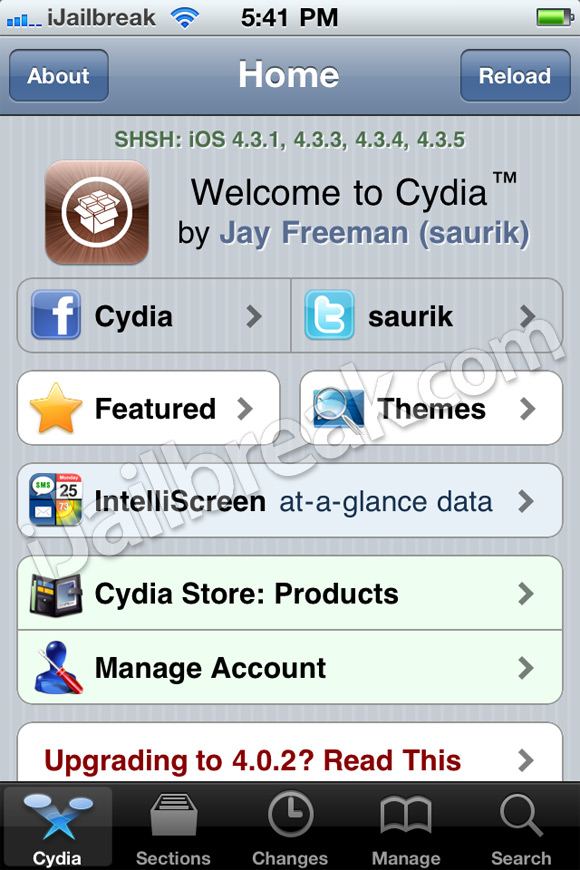
Step 1: The first thing you will need to do is launch Cydia from your iDevices SpringBoard.
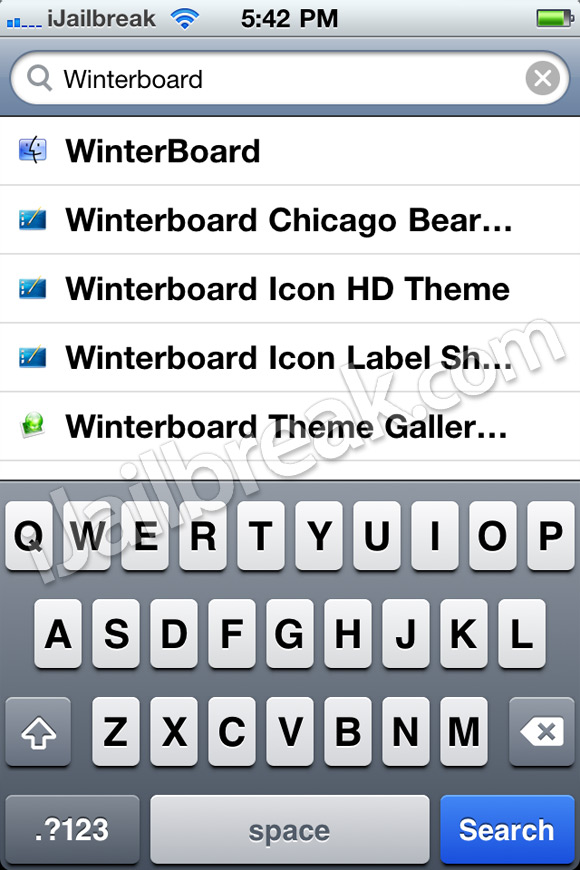
Step 2: Tap the Search tab located on the bottom tab bar and search for WinterBoard.
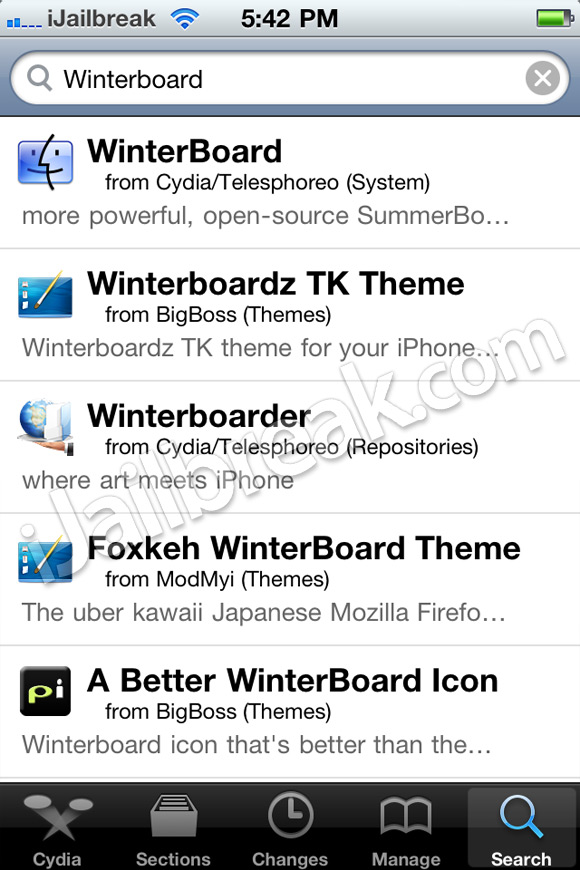
Step 3: Once WinterBoard appears, tap it.
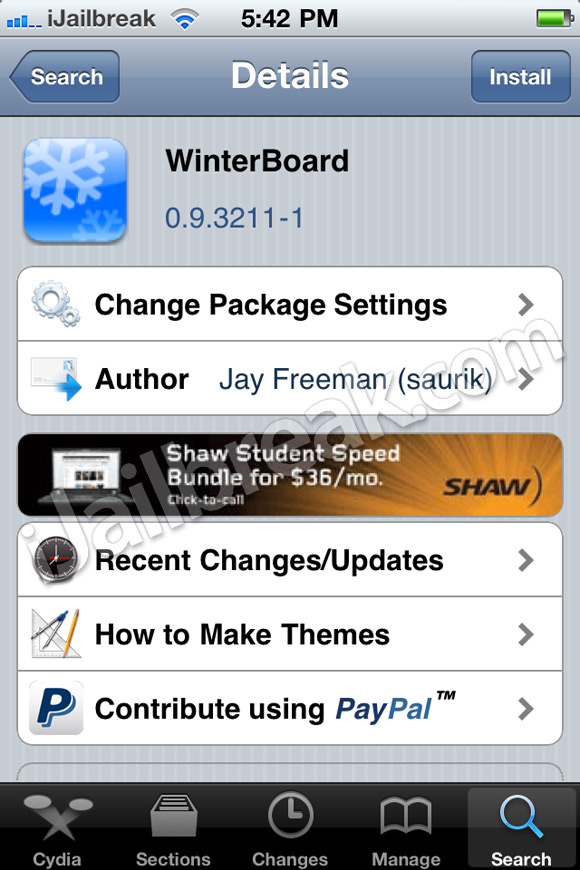
Step 4: You should see WinterBoard (version 0.9.3211-1) or a higher version depending ifWinterBoard has been updated. Tap Install.
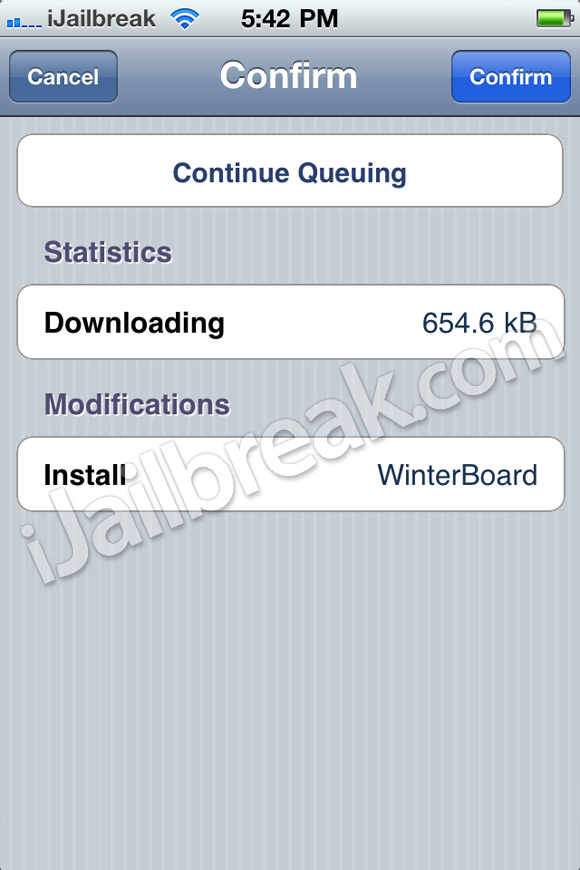
Step 5: Tap Confirm in the top right corner.
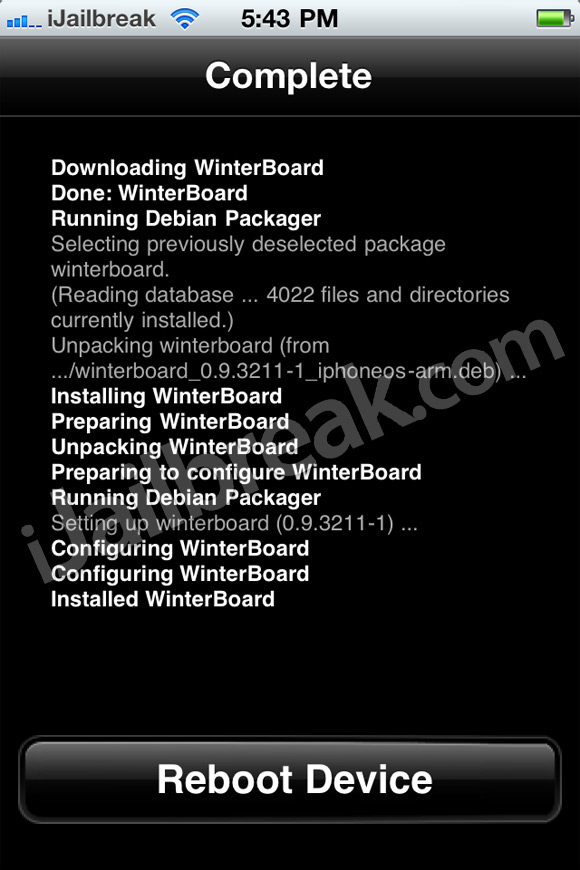
Step 6: You should now see the WinterBoard package being installed. Once installation is done, tapReboot Device and wait for your iDevice to return to the lockscreen.
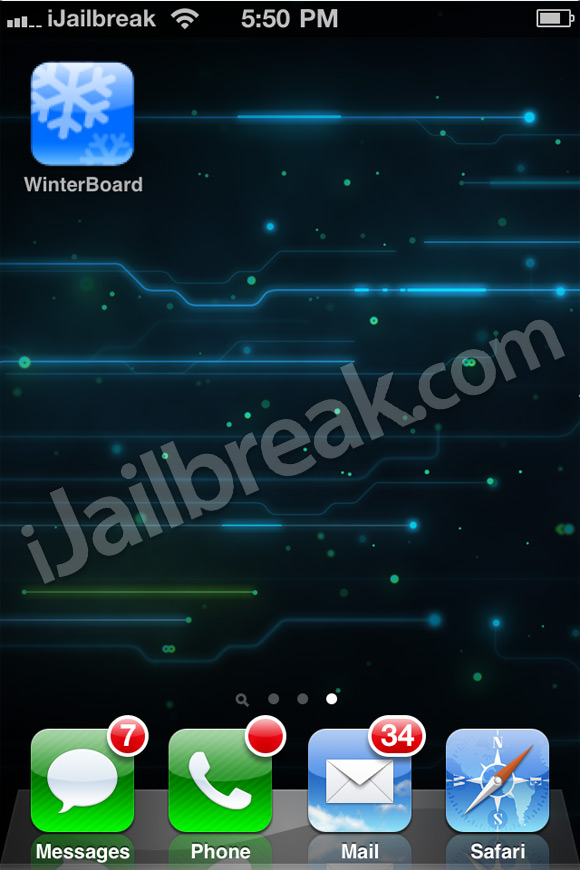
Step 7: Once your iDevice has finished rebooting, slide to unlock and you should see theWinterBoard icon on your SpringBoard, tap it.
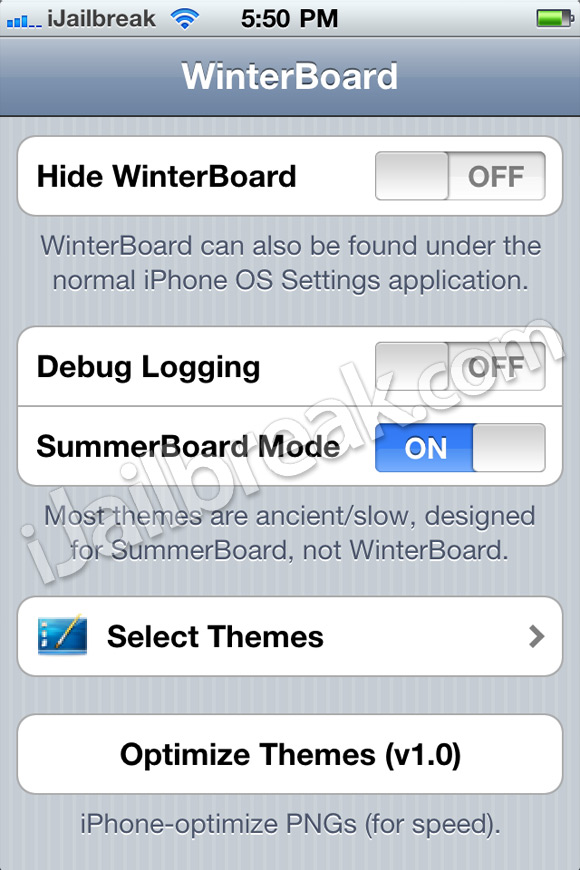
Step 8: Upon tapping the WinterBoard icon you will notice a fairly simple GUI (graphical user interface) appear with all of WinterBoard’s configurable options.
From WinterBoard’s homescreen you can:
  • Toggle Hide WinterBoard: Which will disable WinterBoard’s icon (it will then only be available through the settings.app).
  • Toggle Debug Logging: Only useful for developers.
  • Toggle SummerBoard Mode: Enables compatibility for older themes.
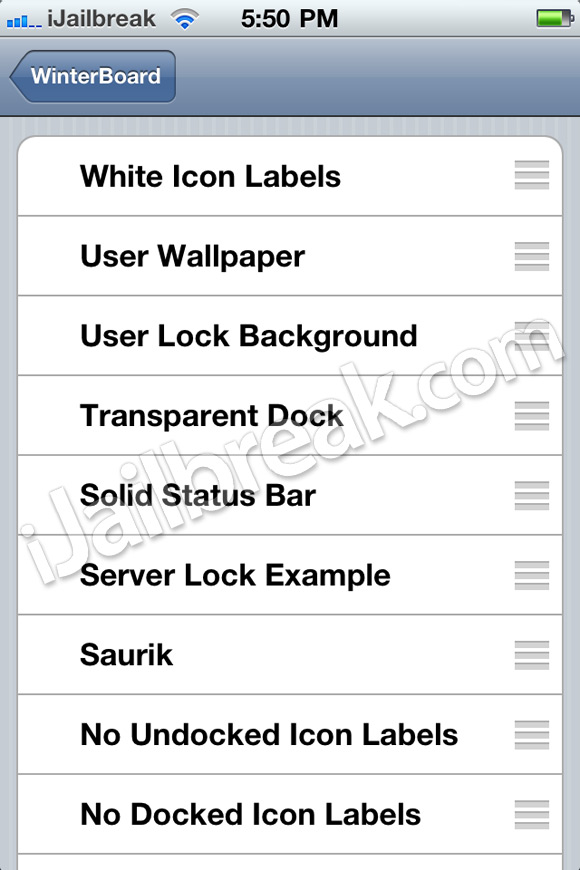
  • Select Themes: Choose from your library of installed themes and apply them to your iDevice.
  • Optimize Themes: Converts your theme images to an “iDevice specific” format for speed.
DONE!.

Use SAM on an hacktivated iPhone 3G to fix push Notifications


THANKS WHITED00R FOR THE TUTO.

*This Method is no longer working*

Use SAM on an hacktivated iPhone 

3G to fix push Notifications


Jailbreak simply opens up your iPhone and gives you total freedom to wander the “Most advanced smartphone OS”, but still it has some bad effects on your phone, which are sometimes annoying like Battery life is affected and hacktivating your iPhone loses your iPhone’s push notificationsservice. And for the people who cannot live without push (since they use whatsapp,FB to get messages) ,losing push notification service is crucial.
For them, here are the available options to make push notifications work on their iDevice :
2.Push Fix
3.Subscriber Artificial Module (SAM)
Push Doctor is mostly out of push certificates (since anathema has problems generating new certificates),so this is where you will find Subscriber Artificial Module (SAM) useful.
Essentially it’s a package that tricks iTunes into generating legitimate activation certificates for your iPhone despite the fact that you’re unlocked with ultrasn0w or Gevey SIM interposer. Doing so not only enables fully working push notifications on your device but also significantly improves battery life.
Obviously you’ll need a jailbroken iPhone to use this.
Before starting, remember to backup and sync your iPhone with iTunes.
1. Launch Cydia and tap on MANAGE tab.
2. Tap Sources, hit the Edit button and then AddType in the source URL “http://repo.bingner.com and tap Add Source.
3. Wait for the repo to download all the packages and resources. Once refreshed,find the Binger repo in Sources list and tap on it.
4. Scroll down and locate the SAM and SAM Prefs packages. Install both packages.
5. Go to Settings. You will find SAM’s preferences there.
6. This is the main step. This is bit tricky, because it needs to activate your iDevice with SAM, but I think you are already activated! So you’ll need to first deactivate it and then go for stock activating while SAM spoofs your identification data. Go to SAM > Utilities and choose Revert Lockdown to Stock. 
7. You should see a Stockification Success message. If you get Stockification Failure, that means there is a version incompatibility of SAM on your iPhone and you may want to reinstall the package from Cydia.
8. Now hit the Settings button in top left to go back to SAM main menu. SAMState should read “Loaded OK
9. That’s about it. Plug your iPhone into your PC or Mac and wait for iTunes to generate legitimate activation certificates for your iPhone. Your device may get recognized as a new one – set it up as you like and let iTunes backup and sync.
Once iTunes has done syncing and backing up, it is most likely to throw an error 1651. Just click OK and ignore the message. Launch SAM from under Settings again on your iPhone and tap More Information. If all went well, you should be Wildcard Activated.
10.Download iPusher app from appstore to see if your push notifications work correctly or not.

For iOS 5 devices, here is a bit different guide (almost similar), Follow these instructions if you’re running iOS 5 on an iPhone 3GS or iPhone 4 and you would like iMessage or Push notifications to work:

  1. Launch Cydia and add this to your sources: repo.bingner.com
  2. Once the new source has been added, install SAM and SAMpref.
  3. Launch SAMpref and select “Revert Lockdownd to Stock” under Settings -> SAM.
  4. In Settings -> SAM and tap on “De-Activate iPhone”
  5. Using a USB cable, connect your iPhone to iTunes and activate it.
  6. Remove the iPusher app now, if you’ve installed it previously.
  7. Go to Settings -> SAM -> Utilities and tap on “Backup Activation” then tap on “Restore Activation”.
  8. Reboot your iPhone
  9. After your iPhone has fully restarted, sync it with iTunes.
  10. Install the free iPusher App from the iTunes Store.
  11. Enable your iPhone’s WiFi and connect it to working network.
  12. Reboot your iPhone and sync it with iTunes again.
  13. Launch iPusher and tap on “Test Push Notifications”. If there is a pop-up saying “Yay, push notifications work fine!” then you’re all good.
  14. Turn off iMessage.
  15. Reboot your iPhone.
  16. Turn on iMessage.

This is how you will enable push notifications on your hacktivated iPhone. If you have any questions,please let me know in the comments below!

Note : This tutorial does not work always and not on all firmwares.
How to Downgrade Your iPhone 3GS From iOS 6.x to iOS 5.x (Windows)


THANKS TO http://www.iclarified.com FOR THE TUTORIAL!


These are instructions on how to downgrade your iPhone 3GS from iOS 6.x to iOS 5.x using saved SHSH blobs and Redsn0w for Windows.

Step One
Create a folder on your desktop called Pwnage

Download the latest version of RedSn0w from here and place it in the Pwnage folder. Likewise, download the firmware you would like to restore to and the firmware you are current on from here and place it/them in the Pwnage folder. 

Extract the RedSn0w zip file to the Pwnage folder.


Step Two
Right click or control-click the redsn0w application from the redsn0w folder we extracted earlier and chooseRun as administrator from the popup menu that appears.


Step Three
Click Extras from the main menu.


Step Four
Click Even More from the Extras menu.


Step Five
Click Restore from the Even More menu.


Step Six
Click IPSW from the Restore menu, choose the IPSW you would like to restore to from the window that appears, and click Open.


Step Seven
Redsn0w will ask you if you would like to prevent the baseband from being updated. Click Yes.


Step Eight
Redsn0w will inform you that Pwned DFU mode is needed to restore. Click the OK button.


Step Nine
Connect your device, turn it off, and then click the Next button


Step Ten
RedSn0w will now guide you through the steps to get into DFU mode. You can find more help with DFU modehere.


Hold down both the Home button and the Power button for 10 seconds.


Release the Power button and continue holding the Home button until RedSn0w detects the device.


Step Eleven
Your iPhone will now be exploited with limera1n.


Step Twelve
RedSn0w will check Cydia to see if you have the correct blobs saved.

If RedSn0w is unable to find your blobs automatically you can try to click the Remote button to try again or you can click the Local button to search for blobs on your computer.


Step Thirteen
RedSn0w will now prepare a system restore image.


Step Fourteen
Your device will then be restored to the new firmware.


Step Fifteen
You'll be informed when your restore has completed successfully. 

OFICIAL TORRENTS FOR JAILBRAKE FROM THE DEVS-TEAM


THANKS TO THE DEV-TEAM FOR THE LINKS

(Mac)
Magnet linkThis torrent has 6 comentarios.VIP Subido 12-27 2011, Tamaño 27.63 MiB, ULed por iphonedev3510
Aplicaciones
(Mac)
Magnet linkThis torrent has 1 comentarios.VIP Subido 05-08 2011, Tamaño 28.56 MiB, ULed por iphonedev1010
Aplicaciones
(Mac)
Magnet linkVIP Subido 05-06 2011, Tamaño 28.68 MiB, ULed por iphonedev540
Aplicaciones
(Mac)
Magnet link DecargarVIP Subido 04-24 2011, Tamaño 28.54 MiB, ULed por iphonedev00
Aplicaciones
(Mac)
Magnet linkThis torrent has 6 comentarios.VIP Subido 04-04 2011, Tamaño 28.56 MiB, ULed por iphonedev1100
Aplicaciones
(Mac)
Magnet linkThis torrent has 5 comentarios.VIP Subido 02-15 2011, Tamaño 32.65 MiB, ULed por iphonedev1361
Aplicaciones
(Mac)
Magnet linkThis torrent has 6 comentarios.VIP Subido 11-28 2010, Tamaño 31.51 MiB, ULed por iphonedev1020
Aplicaciones
(Mac)
Magnet link DecargarVIP Subido 10-22 2010, Tamaño 31.57 MiB, ULed por iphonedev00
Aplicaciones
(Mac)
Magnet link DecargarVIP Subido 10-22 2010, Tamaño 31.47 MiB, ULed por iphonedev11
Aplicaciones
(Mac)
Magnet link DecargarThis torrent has 1 comentarios.VIP Subido 10-20 2010, Tamaño 31.47 MiB, ULed por iphonedev00
Aplicaciones
(Mac)
Magnet linkThis torrent has 3 comentarios.VIP Subido 06-23 2010, Tamaño 14.62 MiB, ULed por iphonedev281
Aplicaciones
(Mac)
Magnet link DecargarThis torrent has 1 comentarios.VIP Subido 06-22 2010, Tamaño 14.6 MiB, ULed por iphonedev00
Aplicaciones
(Mac)
Magnet linkThis torrent has 5 comentarios.VIP Subido 02-07 2010, Tamaño 15.02 MiB, ULed por iphonedev511
Aplicaciones
(Mac)
Magnet link DecargarThis torrent has 19 comentarios.VIP Subido 10-13 2009, Tamaño 23.06 MiB, ULed por iphonedev00
Aplicaciones
(Mac)
Magnet link DecargarThis torrent has 10 comentarios.VIP Subido 10-02 2009, Tamaño 22.36 MiB, ULed por iphonedev80
Aplicaciones
(Mac)
Magnet link DecargarThis torrent has 20 comentarios.VIP Subido 09-15 2009, Tamaño 23.15 MiB, ULed por iphonedev00
Aplicaciones
(UNIX)
Magnet linkThis torrent has 1 comentarios.VIP Subido 07-07 2009, Tamaño 10.85 MiB, ULed por iphonedev101
Aplicaciones
(Mac)
Magnet linkThis torrent has 4 comentarios.VIP Subido 07-07 2009, Tamaño 14.97 MiB, ULed por iphonedev251
Aplicaciones
(Mac)
Magnet link DecargarThis torrent has 6 comentarios.VIP Subido 07-03 2009, Tamaño 22.87 MiB, ULed por iphonedev21
Aplicaciones
(Mac)
Magnet link DecargarThis torrent has 3 comentarios.VIP Subido 06-21 2009, Tamaño 15.84 MiB, ULed por iphonedev51
Aplicaciones
(Windows)
Magnet linkThis torrent has 2 comentarios.VIP Subido 06-20 2009, Tamaño 9.97 MiB, ULed por iphonedev2041
Aplicaciones
(Mac)
Magnet link DecargarThis torrent has 18 comentarios.VIP Subido 06-20 2009, Tamaño 13.04 MiB, ULed por iphonedev00
Aplicaciones
(Mac)
Magnet linkThis torrent has 68 comentarios.VIP Subido 06-19 2009, Tamaño 22.65 MiB, ULed por iphonedev150
Aplicaciones
(UNIX)
Magnet link DecargarThis torrent has 2 comentarios.VIP Subido 04-12 2009, Tamaño 29.08 MiB, ULed por iphonedev20
Aplicaciones
(Mac)
Magnet link DecargarVIP Subido 04-12 2009, Tamaño 14.87 MiB, ULed por iphonedev10
Aplicaciones
(Windows)
Magnet linkThis torrent has 2 comentarios.VIP Subido 04-12 2009, Tamaño 14.92 MiB, ULed por iphonedev161
Aplicaciones
(Windows)
Magnet link DecargarThis torrent has 2 comentarios.VIP Subido 04-09 2009, Tamaño 14.92 MiB, ULed por iphonedev51
Aplicaciones
(Mac)
Magnet link DecargarThis torrent has 1 comentarios.VIP Subido 04-09 2009, Tamaño 14.87 MiB, ULed por iphonedev00
Aplicaciones
(UNIX)
Magnet link DecargarVIP Subido 04-09 2009, Tamaño 29.07 MiB, ULed por iphonedev00
Aplicaciones
(Mac)
Magnet linkThis torrent has 6 comentarios.VIP Subido 01-30 2009, Tamaño 25.29 MiB, ULed por iphonedev1011 2 Siguiente